How PIDReady works
Four steps, all inside your Shopify admin. The screens below come from a demo store.
1. See what's missing
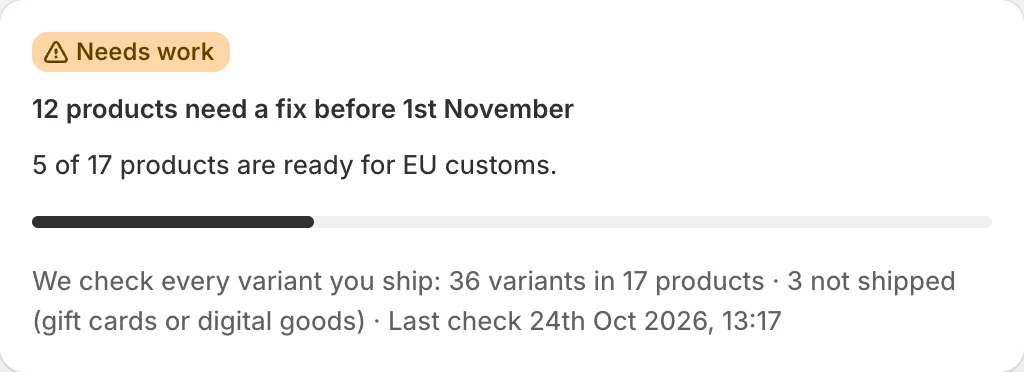
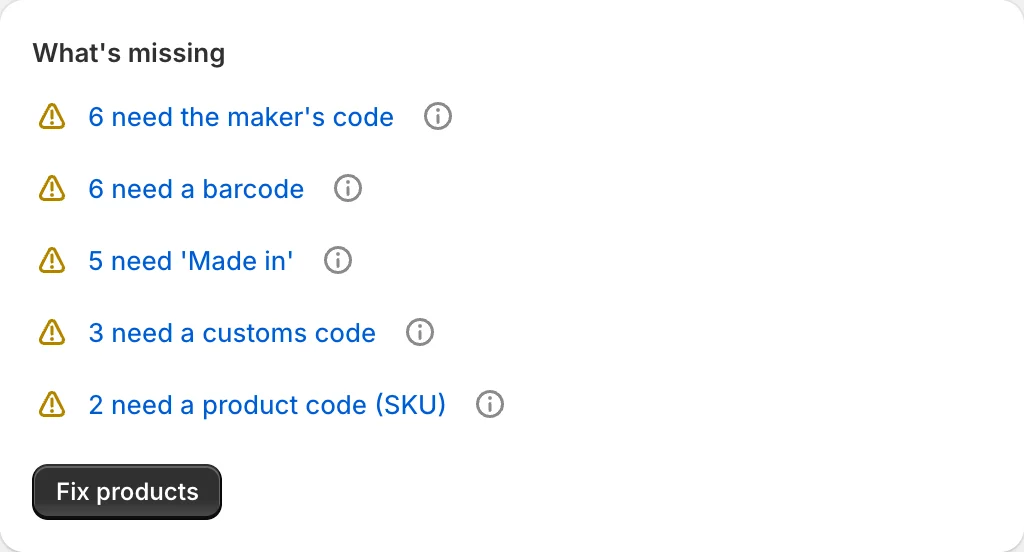
Install PIDReady and it checks every variant you ship for the three product identifiers, the HS code and the country of origin. Home shows what's missing, in plain words.
2. Fix what's safe in one go
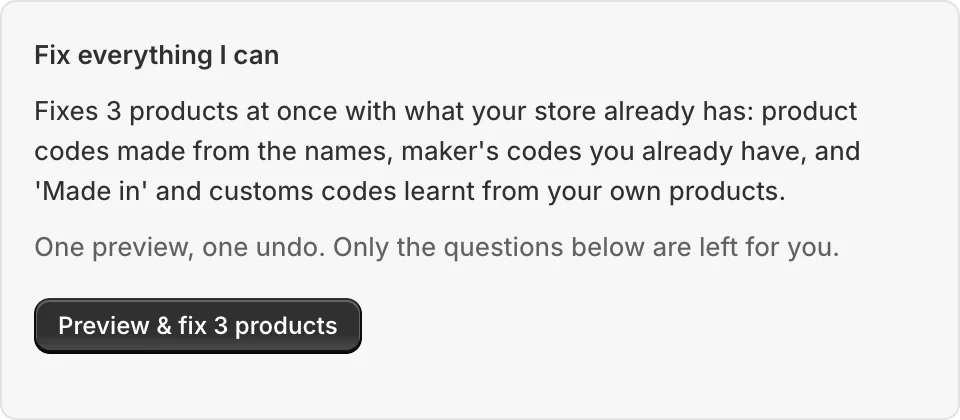
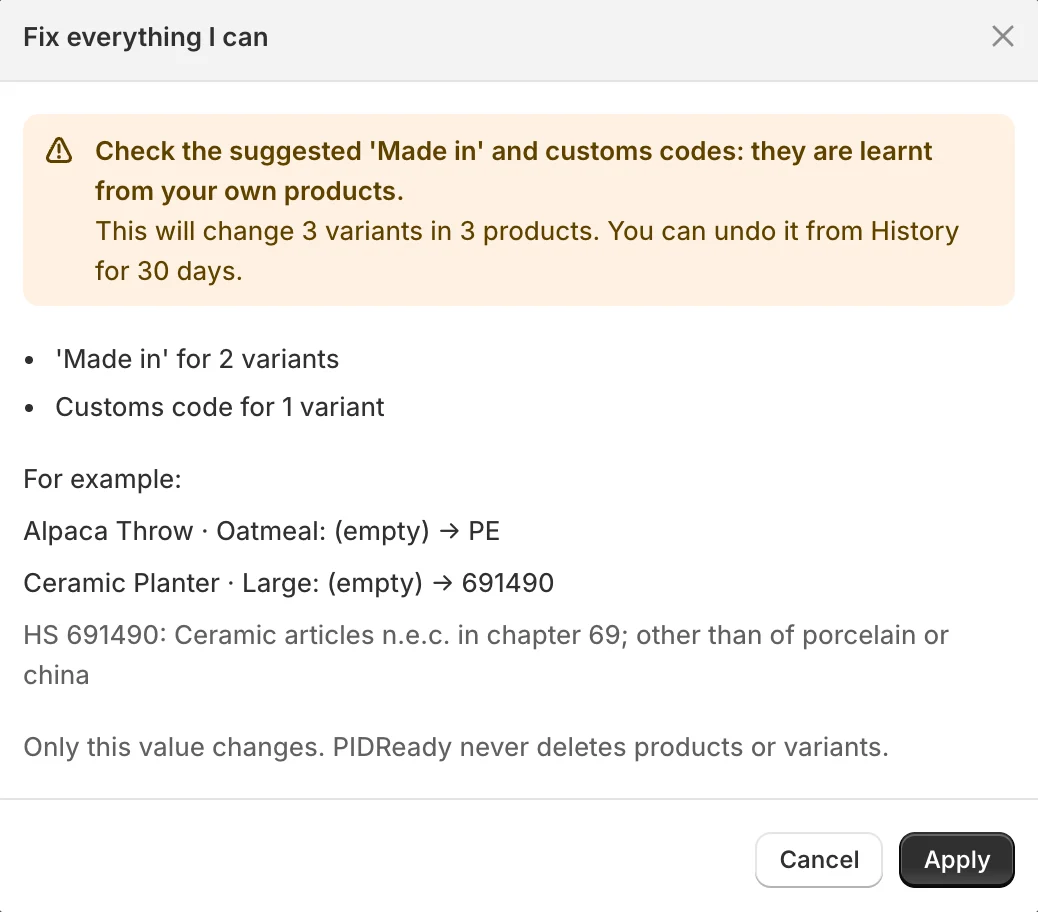
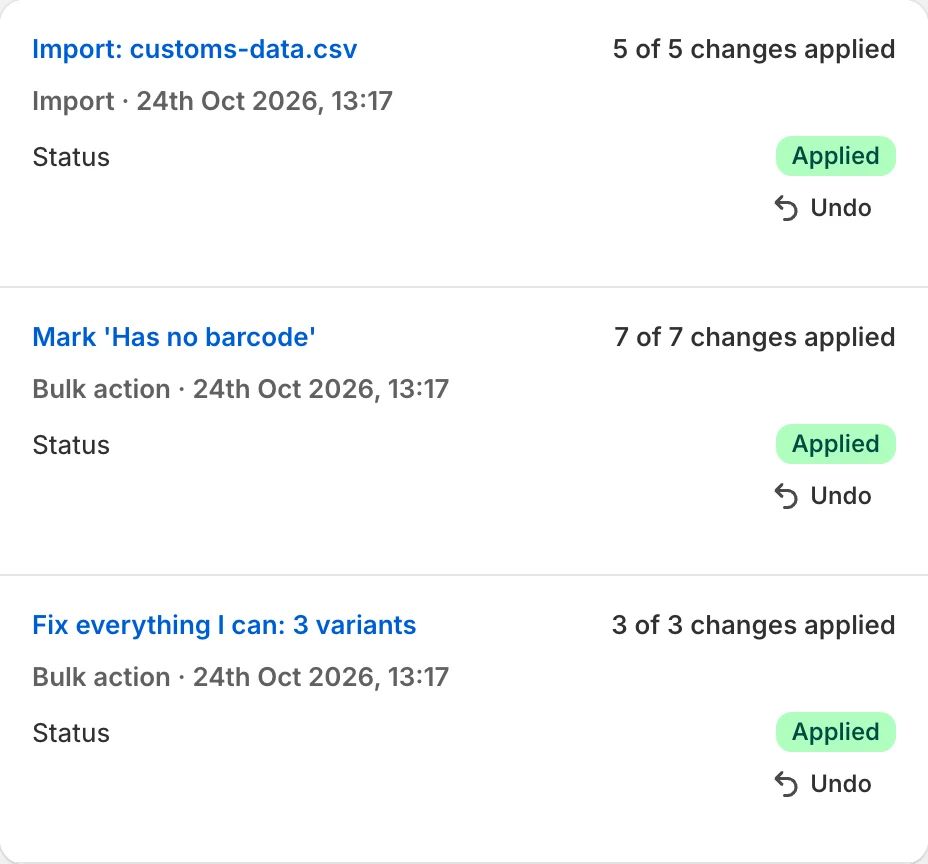
“Fix everything I can” runs every quick fix that needs no answer from you: SKUs made from product names, maker's codes your store already has, and 'Made in' and customs codes learnt from your own products. You see one preview first, and one Undo in History puts it all back for 30 days.
3. Answer what only you know
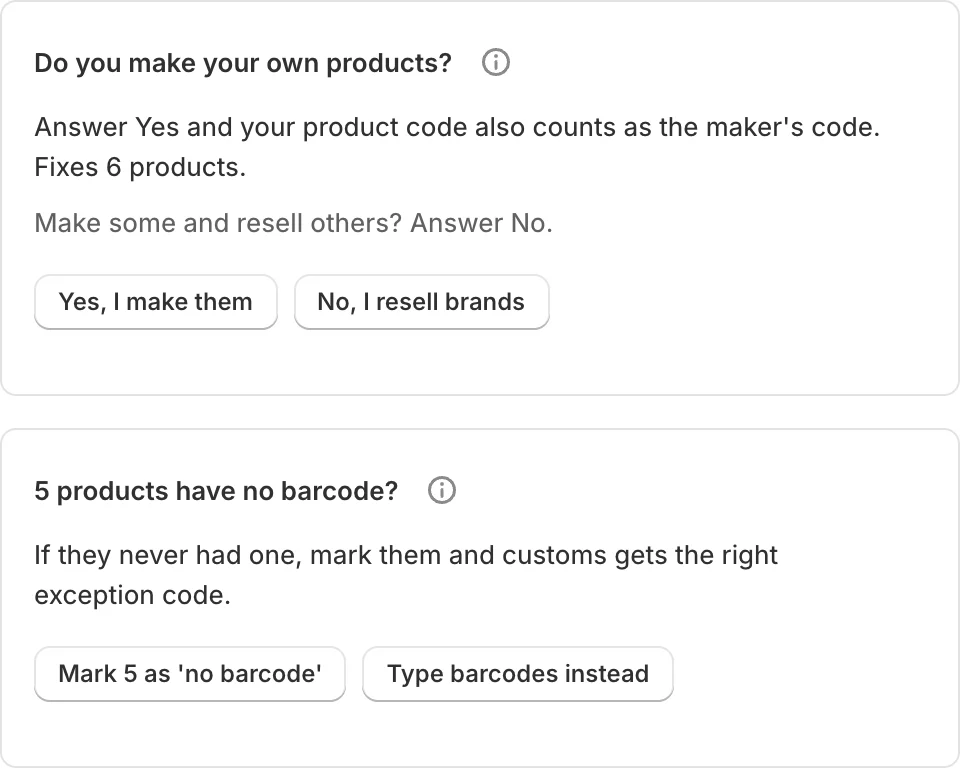
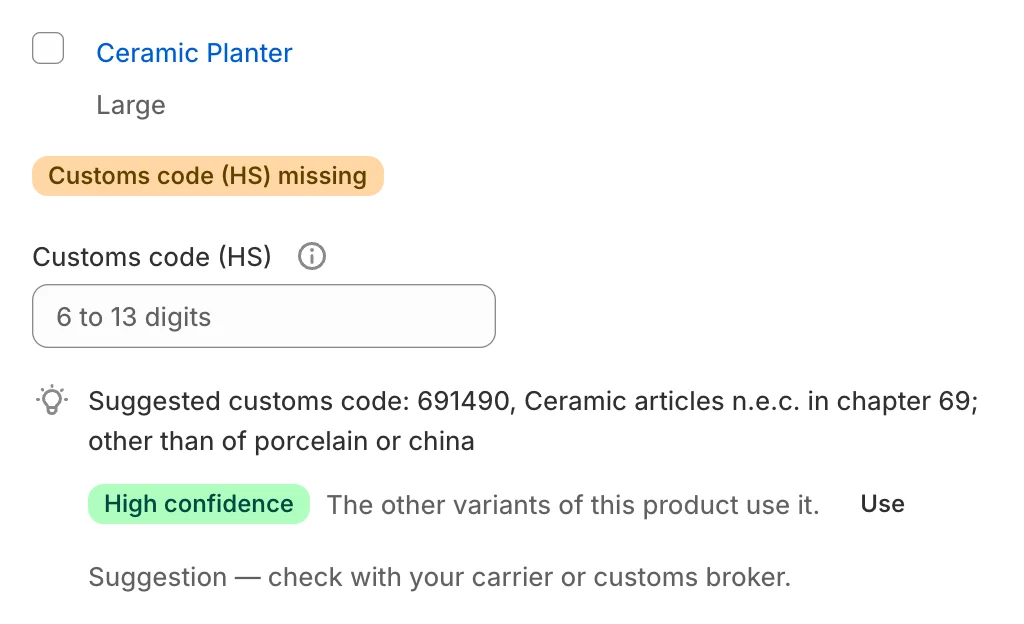
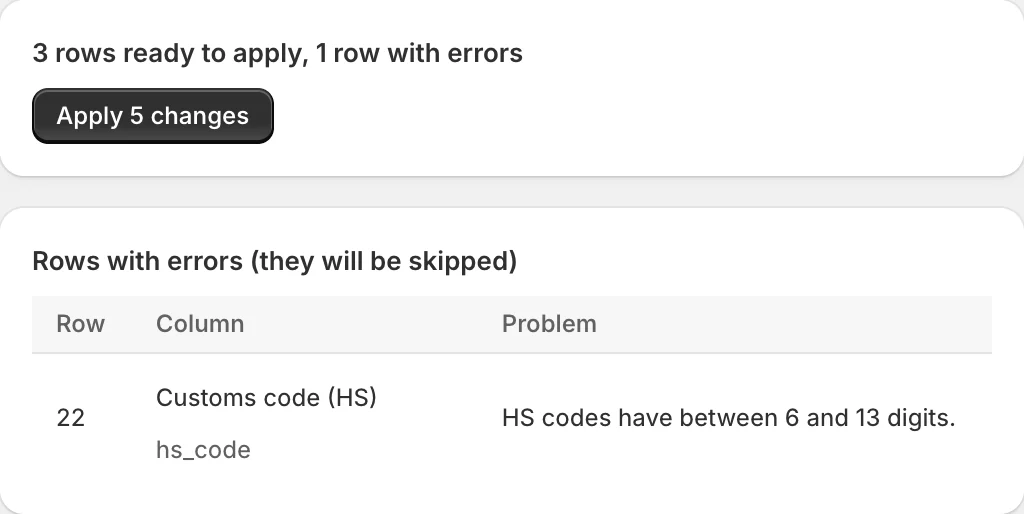
What is left is a few short questions: do you make your own products, and which have no barcode? Answer once and PIDReady fixes many products. HS codes are suggested from your own products or the UK Trade Tariff, with how sure and why. Nothing is saved until you confirm. Prefer a spreadsheet? Download the template, fill it in, upload it: every row is checked before anything changes.
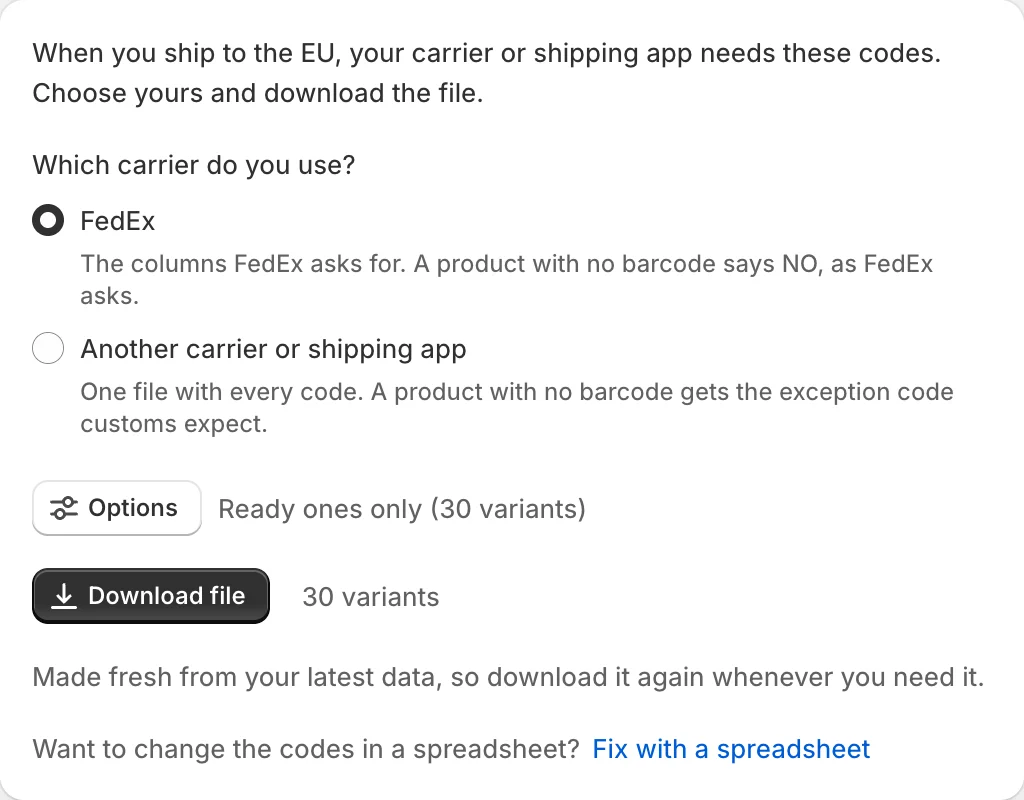
4. Download your carrier file
Choose FedEx's layout or a universal file with every code. Variants you mark as having no barcode carry the exception customs expect.
Undo anything for 30 days
History keeps every old value. One click puts it back.
See it on your own products
Install PIDReady free and watch it check your catalogue. Rather we did it? We set it up for you.